
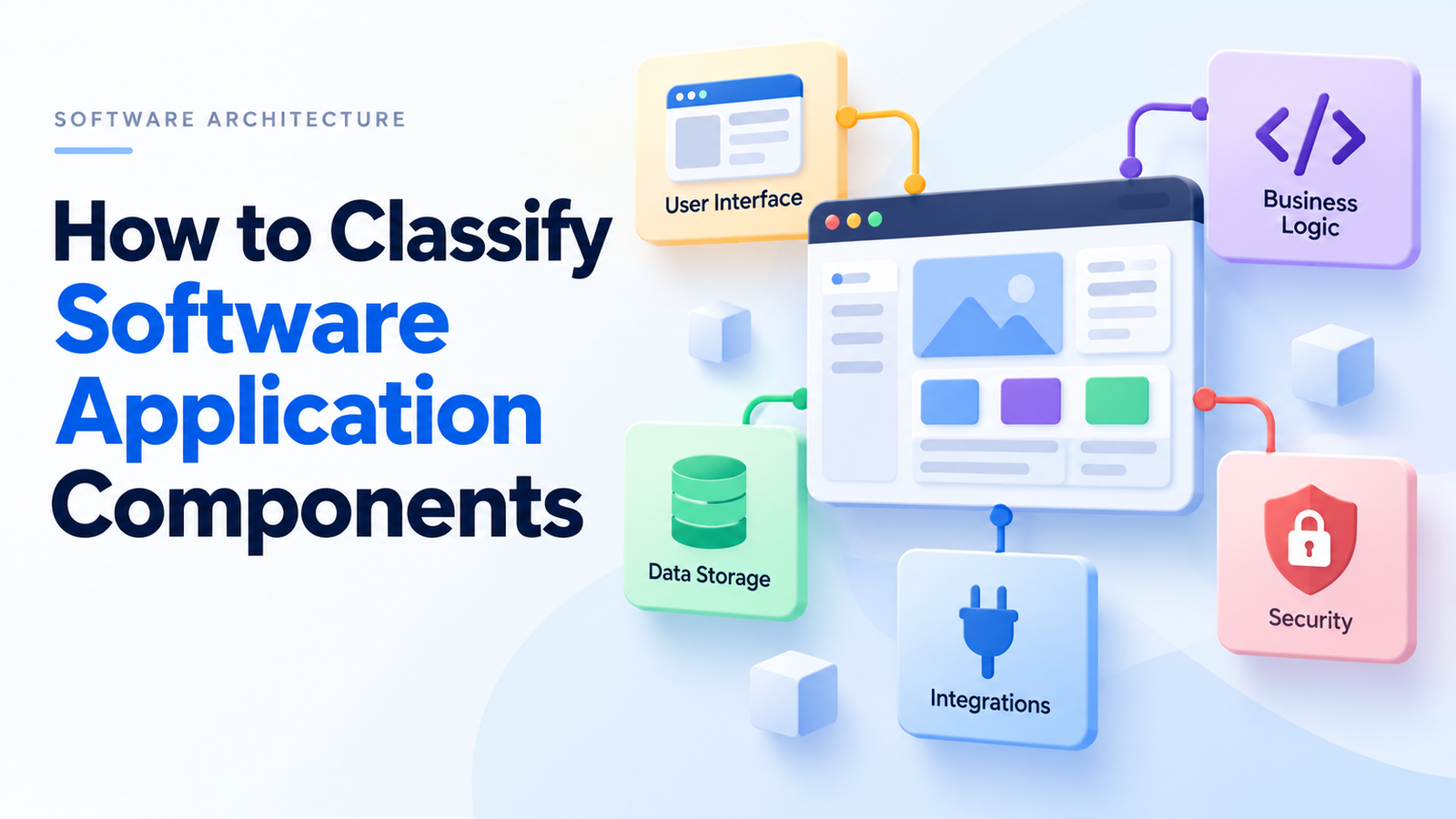
A checkout page takes a payment, updates stock and sends a receipt. To the shopper, that feels like one action. Inside the application, several parts have different jobs—and those jobs are the best place to start your classification.
To classify software application components, identify what each part does, place it in an architectural layer, and record how it runs and what it depends on. Add an owner and any data or operational requirements. One component can have several labels because responsibility, deployment and ownership describe different things.
For example, a payment adapter can belong to the integration layer, support the checkout workflow and run inside the main backend. Calling it only “backend” leaves most of that useful information out.
What are the components of a software application?
An application commonly includes a user interface, business logic, data access code and connections to other systems. It may also use persistent storage, identity services and operational tools. The exact arrangement depends on what the application needs to do.
Here is a practical way to group those responsibilities:
| Part | Main job | Example in an online shop |
|---|---|---|
| Presentation | Show information and collect input | Cart page and delivery-address form |
| Application coordination | Organize the steps in a use case | Checkout workflow |
| Domain logic | Apply the business’s rules | Discount eligibility and order-total calculation |
| Data access | Read and write stored information | Order repository |
| Integration | Communicate with another system | Payment-provider adapter |
| Storage dependency | Keep application data | Order database or receipt file store |
| Shared technical support | Support safe, observable operation | Identity checks and logging |
This table is a working inventory structure, not a rule that every application must contain seven separate modules. A small tool might keep data in memory and have no external integrations.
The meaning of “component” also depends on the model you use. In the C4 model, a component groups related functionality behind an interface inside a container. The container is the deployable unit. A broad IT inventory may also track databases and external services, but those items should not automatically be labelled C4 components.
That distinction keeps a useful everyday inventory from turning into an inaccurate architecture diagram.
How to classify software application components step by step
1. Choose what counts as a component
Decide what you want the classification to help you do. A developer investigating code needs a different level of detail from an IT manager tracking application ownership.
For a development review, list meaningful modules, services and libraries. For an operational review, include deployed applications, data stores and outside services, while recording each item’s type separately.
Keep the level of detail consistent. An individual button, a checkout module and the entire online shop should not appear as equivalent items without a parent-child relationship.
2. Assign a primary responsibility
Describe each item’s job in one plain sentence. “Calculates an order total” is more useful than “handles miscellaneous processing.”
Use responsibility labels such as:
- Presentation: forms, menus, dashboards and other ways of collecting user input.
- Domain rules: calculations, eligibility checks and other business rules.
- Coordination: workflows that arrange several actions in the right order.
- Persistence: data storage, retrieval and updates.
- Integration: exchanges with third-party services.
- Shared support: identity, diagnostics or application settings used in several places.
These are proposed working labels. Adapt them to the application, and write down their meanings so the whole team uses them consistently.
If one module handles page rendering, discounts and database writes, classification has revealed a design question. The module may have too many responsibilities. You do not have to split it immediately, but you now have a specific issue to discuss.
3. Record the architectural layer
Responsibility describes the job. A layer describes where that job belongs in the design.
In a layered architecture, a presentation layer handles interaction, an application layer coordinates work, a domain layer holds business rules, and an infrastructure layer supplies technical implementations. Other architectures use different names or combine some of these layers.
Keep logical layers separate from physical deployment. Three layers do not automatically mean three servers. Microsoft’s N-tier guidance makes this distinction: layers divide responsibilities, while tiers describe physical separation.
A desktop program can contain several logical layers in one process. A web system can distribute its work across several machines. Classifying either system starts with its actual boundaries.
4. Mark deployment and dependencies
Record whether the item runs inside an application, is delivered as a shared package, or belongs to a separately deployed service.
A monolithic architecture can contain well-separated internal modules. Microservices introduce independently deployable services, but each service can still contain several internal components. Serverless functions describe another way to run code; they do not tell you whether that code applies a business rule or sends an email.
Next, record dependencies and communication paths. Does the item call an external service through REST? Does it publish to message queues? Does it access a shared database?
Also distinguish an interface from its implementation. APIs define how callers interact with functionality. The service behind an API performs the work. In an inventory, record both the implementing service and the interface it exposes when that distinction helps readers understand the system.
5. Add ownership, data and lifecycle labels
An architecture map becomes more useful when someone can act on it.
For each important item, record the owning team, data sensitivity, operational criticality, lifecycle stage and last review date. These fields answer practical questions: who investigates a failure, what data passes through this part, and whether the team plans to keep it.
Keep technical support visible too. Authentication establishes identity; authorization checks permissions. Encryption protects data in appropriate contexts. Logging, monitoring and error handling help teams understand and respond to failures. Their implementations can span layers, so give them concern labels rather than forcing them all into a single layer.
For a small project, a table is enough. For a larger estate, the same information can live in a service catalogue or architecture repository. Essential’s component documentation illustrates how an architecture tool can relate software elements, runtime technologies and deployments.
A worked example: classify an online checkout
Imagine a shop with a browser interface, one backend application and an external payment provider. The following example is illustrative; it is not a case study of a real business.
| Inventory item | Item type | Primary role | Layer or location | Deployment relationship |
|---|---|---|---|---|
| Checkout screen | UI module | Collect address and delivery choice | Presentation | Included in the web frontend |
| Checkout coordinator | Internal component | Arrange stock, payment and order steps | Application | Inside the backend |
| Discount policy | Internal component | Decide which discounts apply | Domain | Inside the backend |
| Order repository | Internal component | Save and retrieve orders | Infrastructure/data access | Inside the backend |
| Payment adapter | Internal component | Translate payment requests and responses | Integration/infrastructure | Inside the backend |
| Payment provider | External service | Process payment requests | Outside the application boundary | Managed by the provider |
| Orders database | Data store | Persist order records | Supporting data infrastructure | Managed separately from backend code |
| Receipt worker | Worker application | Send receipts after an order event | Background processing | Separately deployed in this example |
Notice that the payment adapter and payment provider are separate items. The team owns the adapter’s code; the provider operates the remote service. Combining them into one box would hide a useful support boundary.
The receipt worker also shows why dependency labels matter. In this example, receipt delivery is asynchronous: the worker reacts after the order is saved. If receipt delivery fails, the team can investigate that path without assuming the order itself failed.
Complete the inventory with interface details, owners and failure impact. For example, the discount policy depends on promotion rules, while the payment adapter depends on the provider’s contract and availability. Both run in the backend, but their risks differ.
What are the 7 categories of software?
There is no single seven-item list that fits every context. For the software-engineering interpretation, a familiar taxonomy in Pressman’s Software Engineering: A Practitioner’s Approach groups software into these seven broad areas:
| Category | What it covers | Simple example |
|---|---|---|
| System software | Programs that support computing operations and other programs | An operating system or compiler |
| Application software | Programs that carry out user or business tasks | A payroll application |
| Engineering/scientific software | Technical analysis, modelling and computation | A structural simulation tool |
| Embedded software | Software operating within a larger device or product | A washing-machine controller |
| Product-line software | Software capabilities supplied across products or customer markets | An inventory-product family |
| Web applications | Applications accessed through networked web technologies | An online booking portal |
| Artificial intelligence software | Systems using AI methods for tasks such as recognition or prediction | An image-classification system |
Source context: the textbook’s application-domain discussion is available in the seventh-edition text. The descriptions and examples above are summarized in original wording.
These categories overlap. A web-based engineering product can belong to several of them. Use the framework as a way to discuss software, rather than a demand that every product fit one exclusive box.
You will also encounter functional lists built around operating systems, device drivers, firmware, utility software, middleware, programming software and applications. That list answers a different version of the question. Name the framework before comparing its categories.
How can you categorize application software?
Categorize an application along separate dimensions: what people use it for, where it runs, how it is supplied and who uses it. IEEE’s overview likewise distinguishes functional scope, deployment environment and intended users.
| Dimension | Useful labels | Example |
|---|---|---|
| Purpose | Productivity, business, education, communication, media or entertainment | A spreadsheet supports analysis and calculation |
| Platform | Desktop, mobile, web or several platforms | A scheduling tool has browser and phone clients |
| Acquisition | Off-the-shelf, customized or bespoke | A business commissions its own approval system |
| License | Open source or proprietary, with the actual license recorded | A self-hosted tool has an open source license |
| Delivery | Locally installed software or SaaS | A provider operates an application used online |
| Hosting | On-premises, cloud or hybrid | A company runs its application on its own servers |
| Audience | Individual, team, enterprise or public users | An internal employee portal |
| Industry | Healthcare, retail, finance or another sector | A retailer’s stock-control application |
A single application can be proprietary, mobile, business-focused and delivered through a cloud service. Those labels complement each other.
Keep license and delivery separate. NIST’s cloud definition places SaaS among cloud service models. It does not specify the software’s licensing rights. Similarly, open source is about rights and distribution conditions, not simply a zero price or visible code; the Open Source Definition includes requirements for redistribution and modifications.
Freeware and shareware describe common distribution or payment arrangements. Check the actual terms before assuming what users may change or redistribute. A free download does not automatically make software open source.
What are 7 common software application domains?
“Domain” has two common meanings in this discussion. In software-engineering course material, it can refer to the seven broad software areas listed above. In business and domain modelling, it usually means the subject area the software serves.
Using that second meaning, seven common examples are:
| Industry domain | Example application | Example parts to classify |
|---|---|---|
| Healthcare | Appointment scheduling | Calendar interface, booking rules and patient-record integration |
| Finance | Expense management | Receipt capture, approval workflow and accounting export |
| Education | Learning platform | Lesson interface, assessment logic and progress storage |
| Retail | Online shop | Product catalogue, checkout and stock integration |
| Manufacturing | Production planning | Scheduling rules, machine-data ingestion and reports |
| Transportation | Delivery management | Route planning, driver interface and shipment tracking |
| Telecommunications | Subscriber management | Account services, billing and provisioning integration |
This is an illustrative selection of industry domains, not an official limit of seven. Research uses other lists and counts depending on its purpose; for example, a software product-line mapping study reports a broader set of application domains.
The component classification method still applies across these settings. What changes is the business rule, the information handled and the consequence of failure. A scheduling module in a school and one in a factory may share a technical role while needing very different rules.
Common classification mistakes and how to fix them
Mixing quality goals with application parts. Reliability, efficiency, maintainability, portability and scalability describe qualities or goals. A repository is a part; maintainability is something you assess about it. Put these in separate fields.
Assuming every component is a microservice. A useful component can live inside one application. Separate deployment is a design decision, not a requirement for having a meaningful internal boundary.
Using product names as role labels. A technology name alone may hide its job. Record what the particular instance does—such as cache, queue or persistent store—then record the technology separately.
Calling everything “backend.” The label hides differences between domain rules, workflow coordination and external integration. Add a primary responsibility before discussing changes.
Forgetting outside dependencies. An external identity or payment service can affect the application even though your team does not maintain its source. Track it as an external service and connect it to the internal parts that use it.
Letting the map go stale. Update the inventory when a service moves, an interface changes or ownership transfers. A small accurate map is more useful than a detailed one that describes last year’s system.
A software component inventory you can use
Copy these fields into your project documentation. Keep the explanations short enough that someone will maintain them.
| Field | What to record |
|---|---|
| Name and identifier | A stable name people recognize |
| Item type | Internal component, deployed service, library, data store or external service |
| Parent | The application or deployed unit it belongs to |
| Responsibility | One sentence explaining its main job |
| Layer | Its place in the chosen architecture |
| Interface | How callers use it |
| Dependencies | What it calls, reads, writes or receives events from |
| Deployment | Where it runs and what it is released with |
| Ownership | The accountable team |
| Data and impact | Sensitivity of handled data and the effect of failure |
| Lifecycle and review | Current status and when the record was checked |
Start with one user action, such as placing an order. Follow it through the interface, rules, storage and external calls. Give every important part a clear responsibility and an owner. If two people classify the same part differently, revise the labels or the boundary until the distinction is useful to both of them.
